문제 상황
리뷰 작성할 때 입력받은 플레이날짜(playdate) 를 받아오는 과정에서 해당 에러가 발생하였다.
java.time.format.DateTimeParseException: Text '2022-05-12' could not be parsed at index 10
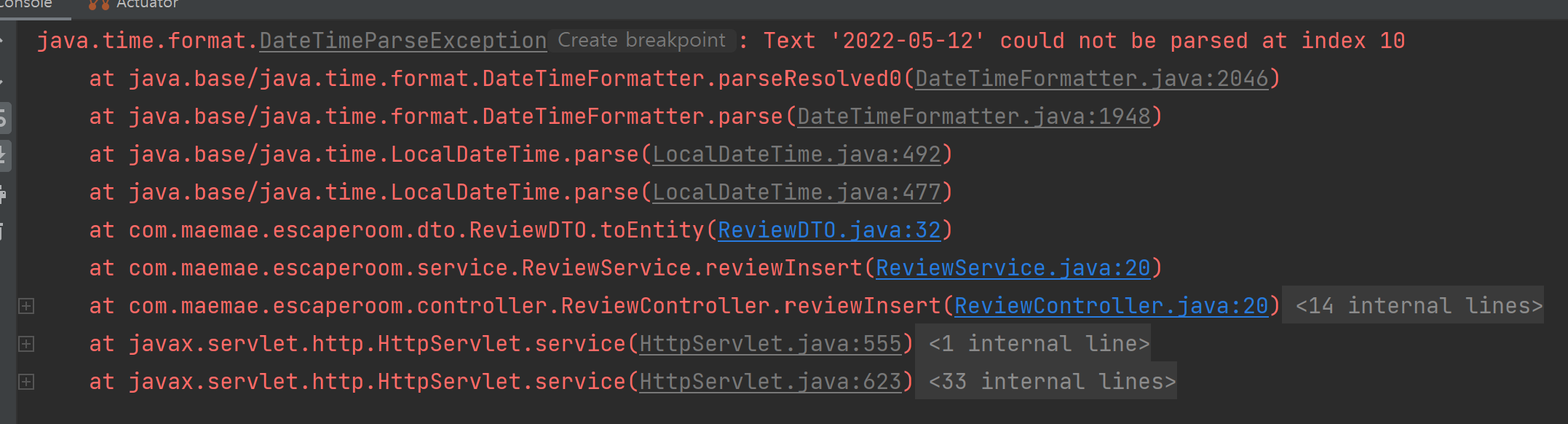
요청은 2022-05-12 와 같이 'yyyy-MM-dd'의 날짜 형식으로 보낸다.
'2022-05-12' 을 LocalDateTime 으로 바꾸어보자
현재 에러가 발생한 코드는 다음과 같다 : .playdate(LocalDateTime.parse(playdate))
@Data
public class ReviewDTO {

    private Long themeId;
    private String nickname;
    private String password;
    private String playdate;
    private Double difficult;
    private String clear;
    private String time;
    private Integer hint;
    private String content;
    private Double rating;

    public Review toEntity() {

        return Review.builder()
                .theme(Theme.builder().id(themeId).build())
                .nickname(nickname)
                .password(password)
                .playdate(LocalDateTime.parse(playdate))
                .difficult(difficult)
                .clear(clear)
                .time(time)
                .hint(hint)
                .content(content)
                .rating(rating)
                .build();
    }
}
시도 1. DateTimeFormatter와 LocalDateTime.parse() 사용 - 실패
import java.time.LocalDateTime;
import java.time.format.DateTimeFormatter;

public class Main {
    public static void main(String[] args) {
        String dateString = "2023-05-11";

        DateTimeFormatter formatter = DateTimeFormatter.ofPattern("yyyy-MM-dd");
        LocalDateTime dateTime = LocalDateTime.parse(dateString, formatter);

        System.out.println(dateTime);
    }
}
위와 같은 방법을 사용하고자 한다.
따라서
public Review toEntity() {

    return Review.builder()
            .theme(Theme.builder().id(themeId).build())
            .nickname(nickname)
            .password(password)
            .playdate(LocalDateTime.parse(playdate, DateTimeFormatter.ofPattern("yyyy-MM-dd")))
            .difficult(difficult)
            .clear(clear)
            .time(time)
            .hint(hint)
            .content(content)
            .rating(rating)
            .build();
}
이렇게 코드를 수정하고 실행해보니 아래와 같은 에러가 발생하였다.
java.time.format.DateTimeParseException: Text '2022-05-12' could not be parsed: Unable to obtain LocalDateTime from TemporalAccessor: {},ISO resolved to 2022-05-12 of type java.time.format.Parsed
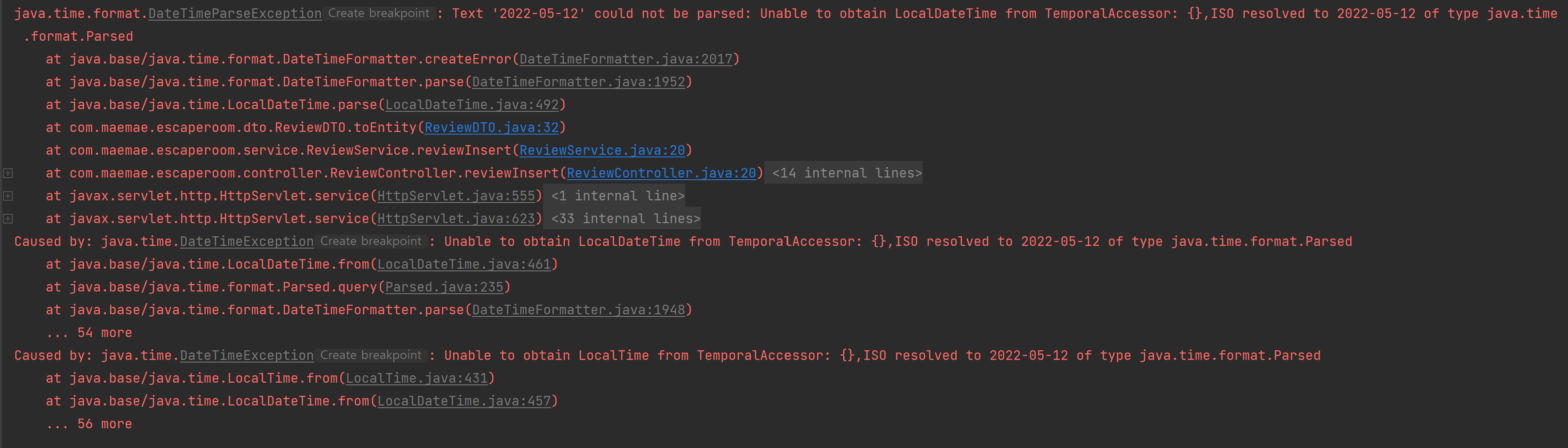
에러가 발생하는 이유는 주어진 날짜 문자열 "2023-05-11"의 시간 부분이 누락되어 있기 때문이었다.
LocalDateTime은 날짜와 시간을 함께 포함하므로, 입력된 문자열에 시간 정보가 없으면 파싱 과정에서 예외가 발생한다.
따라서 문제를 해결하려면 입력된 날짜 문자열에 시간 정보를 추가해야 한다.
예를 들어 "2023-05-11T00:00"과 같이 시간을 설정한 형태로 문자열을 받아야 한다.
import java.time.LocalDateTime;
import java.time.format.DateTimeFormatter;

public class Main {
    public static void main(String[] args) {
        String dateString = "2023-05-11T00:00";

        DateTimeFormatter formatter = DateTimeFormatter.ofPattern("yyyy-MM-dd'T'HH:mm");
        LocalDateTime dateTime = LocalDateTime.parse(dateString, formatter);

        System.out.println(dateTime); // 출력: 2023-05-11T00:00
    }
}
위와 같이 시간 정보가 포함된 문자열을 파싱할 경우 예외가 발생되지 않는다
하지만 내가 원하는 건 'yyyy-MM-dd' 과 같은 날짜 형식 문자열을 LocalDateTime으로 바꾸는 것이었다.
따라서 나는 다음 방법을 사용하여 문제를 해결하였다.
시도 2. 'yyyy-MM-dd' 과 같은 날짜 형식 문자열을 LocalDate으로 파싱하고, LocalDate -> LocalDateTime으로 변경 (성공)
(1) 'yyyy-MM-dd'과 같은 날짜 형식 문자열을 LocalDate으로 파싱하기
참고로 playdate는 "2022-05-12"과 같이 "yyyy-MM-dd" 형식의 날짜 문자열이다.
LocalDate date = LocalDate.parse(playdate, DateTimeFormatter.ISO_DATE);
LocalDate.parse를 이용하면 문자를 파싱하여 LocalDate 객체를 생성할 수 있다.
위 코드에서 DateTimeFormatter.ISO_DATE는 "yyyy-MM-dd"를 상수로 선언한 것이다.
이 옵션을 사용하면 "yyyy-MM-dd" 형태의 스트링을 파싱할 수 있다.
(2) LocalDate -> LocalDateTime으로 변경
date.atStartOfDay()
.atStartOfDay() : 날짜 + 00:00:00을 의미
.atTime(LocalTime.MAX) : 날짜 + 23:59:59.99999999를 의미
나는 2022-05-12 00:00:00 처럼 저장하기 위해
date.atStartOfDay() 을 사용하였다.
import java.time.LocalDate;
import java.time.LocalDateTime;
import java.time.LocalTime;
import java.time.format.DateTimeFormatter;

public class Main {
    public static void main(String[] args) {
        LocalDate date = LocalDate.parse("2021-10-25", DateTimeFormatter.ISO_DATE);

        LocalDateTime localDateTime1 = date.atStartOfDay(); // 2021-10-25T00:00
        LocalDateTime localDateTime2 = date.atTime(LocalTime.MAX); // 2021-10-25T23:59:59.999999999

        System.out.println("localDateTime1 = " + localDateTime1);
        System.out.println("localDateTime2 = " + localDateTime2);
    }
}
최종 코드
@Data
public class ReviewDTO {

    private Long themeId;
    private String nickname;
    private String password;
    private String playdate;
    private Double difficult;
    private String clear;
    private String time;
    private Integer hint;
    private String content;
    private Double rating;

    public Review toEntity() {
        LocalDate date = LocalDate.parse(playdate, DateTimeFormatter.ISO_DATE);

        return Review.builder()
                .theme(Theme.builder().id(themeId).build())
                .nickname(nickname)
                .password(password)
                .playdate(date.atStartOfDay())
                .difficult(difficult)
                .clear(clear)
                .time(time)
                .hint(hint)
                .content(content)
                .rating(rating)
                .build();
    }
}
위와 같이 작성하고
리뷰 작성 API를 실행하니
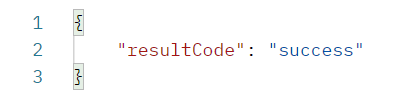
성공적으로 실행된 것을 확인할 수 있었다 !

DB에도 위와 같이 잘 저장되어 있다 !